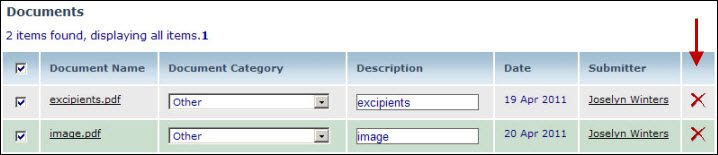
As a Donor you can add and delete documents to/from your monograph submission, provided the submission is in "Submission Started" status.
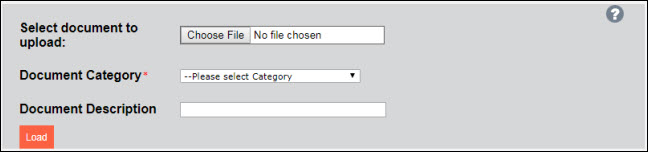
To add a document to the submission package:
1. Click the Choose File button to select the document for uploading.
2. Select a category from the Document Category dropdown.
3. If the Category "Other" is selected, add a brief description (maximum of 256 characters) in the Document Description field.
NOTE |
If "Other" was selected in the Document Category, you must provide a document description. |
4. Click the Load button.
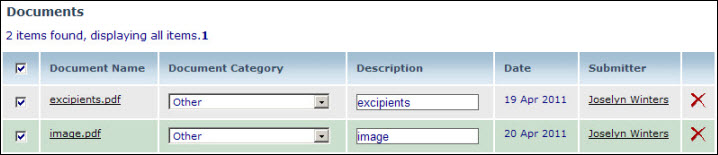
o The document is loaded in the table of documents below.
NOTE |
To access a list of documents required for the submission package, click on the Checklist link located just above the Document upload box where you can see a list of recommended documents to be uploaded. |
NOTE |
Documents of various formats, including Excel spreadsheets, Word documents, PDFs, graphic files (e.g. jpg, tiff, png, and bmp), text and log files, and PowerPoint presentations can be uploaded. Note that larger documents will take longer to upload, depending on the speed of your network. |
To delete a document click on the  in the far right column of the Documents
table.
in the far right column of the Documents
table.